
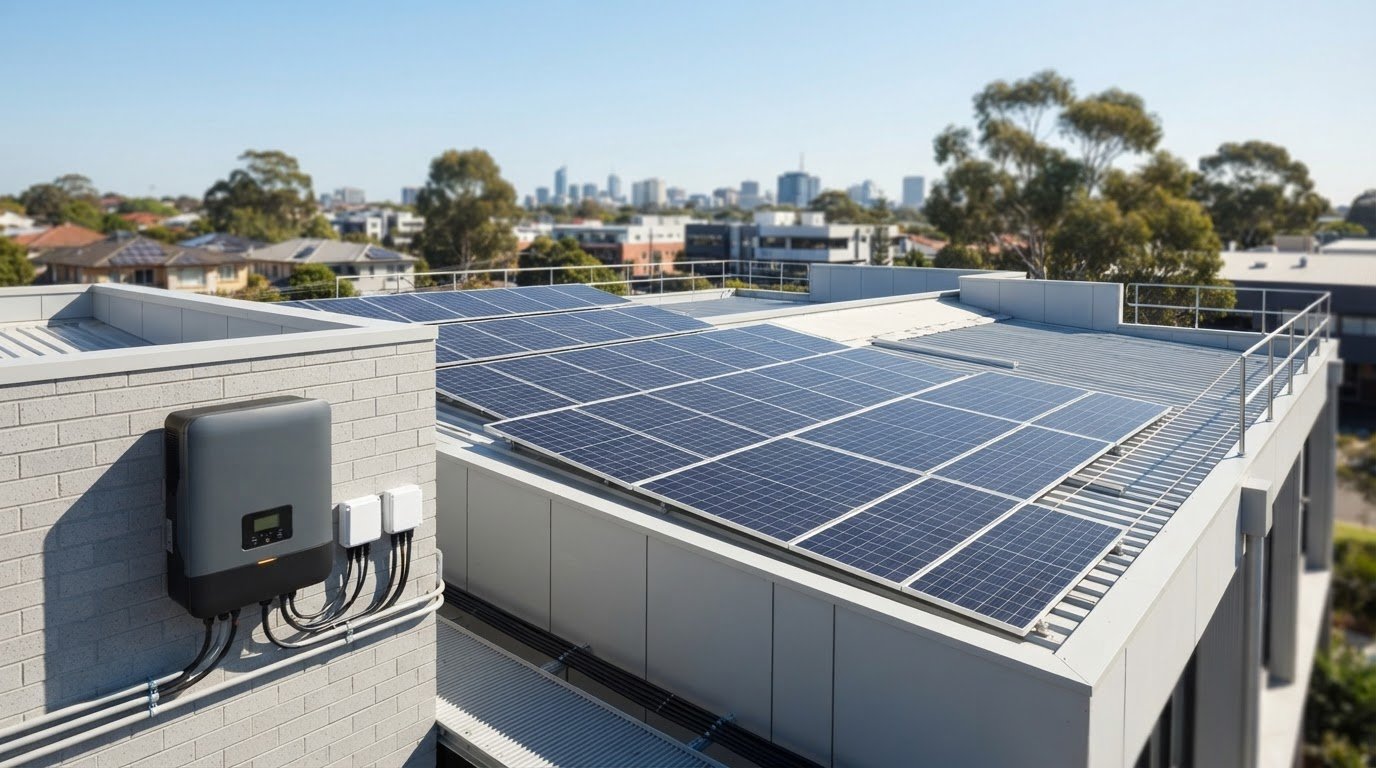
A solar inverter warning can look alarming, but guessing at its meaning is often riskier than pausing to observe. If your system has stopped, its display has changed or an error code has appeared, you may be wondering whether it’s still generating power. This guide to solar inverter troubleshooting covers safe checks you can make without opening equipment or handling electrical components.
You don’t need to diagnose the fault yourself. A warning or shutdown can have different causes, and the display alone may not show whether the inverter or another part of the system is responsible. Note what the screen shows, when the issue began and whether it changes. Then consult the manual for your inverter model.
This guide covers common signs to watch for, what to record and when to leave the system alone and arrange professional diagnosis. Clear observations can help a licensed electrician assess whether monitoring, repair or another step is appropriate, without you taking unnecessary risks.
Key Takeaways
- An inverter alert or dip in generation is a reason to pay attention, not proof that the inverter has failed.
- Use the inverter display and monitoring information as clues, not as a complete diagnosis.
- A brief monitoring interruption, recurring warning and sustained shutdown may call for different next steps.
- Record the inverter make and model, message shown, timing and changes in monitoring, without opening or handling electrical equipment.
- Professional solar diagnostics can help distinguish an inverter fault from a wider system issue before repair is considered.
Solar inverter troubleshooting: which warning signs deserve attention?
An inverter alert or noticeable dip in solar generation can be worrying, especially if you rely on your system to help power your home. Neither sign confirms that the inverter has failed. Treat them as observations to record, not a diagnosis to make on the spot.
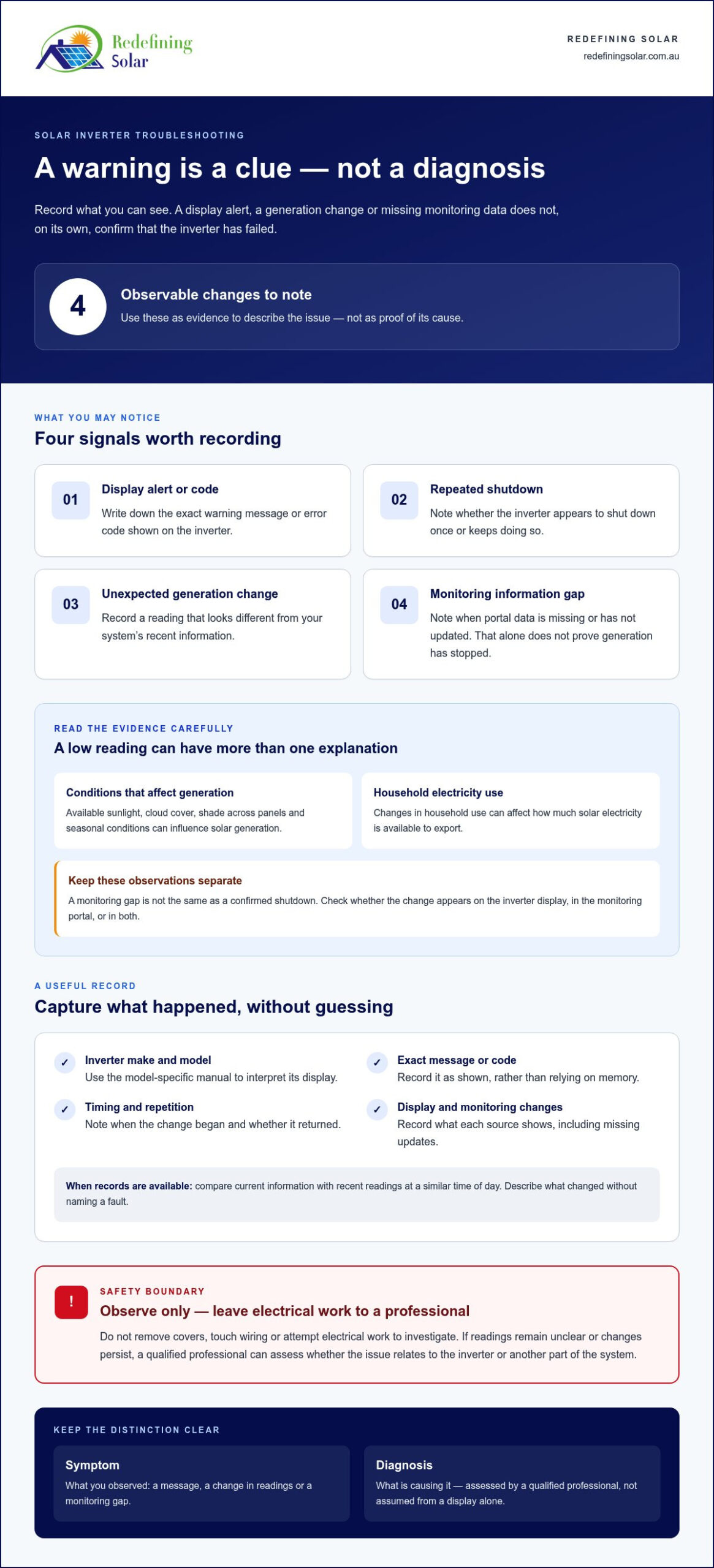
Look for changes you can describe clearly, such as:
- A warning message or error code on the inverter display.
- The inverter shutting down repeatedly or behaving differently from its usual pattern.
- Generation data changing unexpectedly in your monitoring portal.
- A gap in monitoring information, even when you haven’t confirmed that generation has stopped.
Shade, changing weather, seasonal sunlight and household electricity use can all affect what you see in generation data. A monitoring gap may mean the information isn’t updating, rather than proving the system has stopped producing power. Start with what you can observe and avoid naming a fault before the inverter and wider system have been assessed.
What changes in inverter behaviour should you notice?
Pay attention to the exact display message, any change in indicator lights and whether the inverter appears to shut down. Note when the change began and whether it happened once or keeps returning. Indicator meanings vary between inverter models, so use the manufacturer’s manual to interpret the display. A message or light is useful evidence, but it doesn’t confirm the underlying cause.
A symptom describes what you’ve observed; a diagnosis identifies what’s causing it. Keeping those things separate helps you share useful information without assuming the inverter needs repair. If a message appears, record it as shown rather than relying on memory. Don’t remove covers, touch wiring or attempt electrical work to investigate.
When can lower solar output have another explanation?
Solar generation changes with available sunlight. Cloud cover, shade across panels and seasonal conditions can influence the amount of power produced. Household use can also change how much solar electricity is available to export. A lower figure on one day, by itself, may not show whether the inverter is faulty.
Check whether the change appears on the inverter display, in the monitoring portal or in both. If monitoring data is missing or hasn’t updated, record that separately from a confirmed shutdown. The Solar Inverter Explained overview provides background on the component’s role in a solar system, but general information can’t identify a fault in your installation.
Keep your notes factual: what changed, when it started, whether it repeated and what the display showed. This gives a qualified professional a clearer starting point for assessing whether the issue relates to the inverter or another part of the system. A warning deserves attention, but repair is a considered next step, not an automatic response to every alert.
How a solar inverter works, and what its status information can tell you
A solar inverter converts the direct current (DC) produced by solar panels into alternating current (AC), the form of electricity used by household appliances. It connects solar generation with your home’s electrical system and, where applicable, the electricity grid. The inverter is the bridge between power generated by your panels and usable electricity in your home.
The inverter is a useful place to look for operating information, but its screen or monitoring portal can’t explain every change on its own. Generation depends on available sunlight, how the system is operating and the inverter’s condition. A low reading may relate to the inverter, but it may also reflect changing conditions or an issue elsewhere in the system.
What does a solar inverter do in a home system?
Solar panels produce DC electricity, while household circuits use AC. The inverter changes the electricity into a form that can be used in the home, helping solar generation serve household demand. Depending on the system and conditions, electricity may also be sent to the grid.
In simple terms, the panels generate electricity and the inverter makes it usable. A lower generation figure doesn’t, by itself, prove the inverter is at fault. Available sunlight and other parts of the solar system also affect what reaches the inverter and what the system records.
How to read inverter displays and monitoring data
Treat status information as a helpful record, not a complete diagnosis. Before seeking help, note the exact message or code, any indicator pattern, and the date and time you saw it. If the display changes, record the new message as well. Follow the manual for your inverter model, since instructions and indicator meanings can differ between equipment.
Where records are available, compare current information with your system’s recent readings at a similar time of day. This helps you describe what changed without relying on a guess. For example, note whether a reading is lower than usual, whether monitoring data is missing, or whether the inverter display shows a message. A portal that isn’t updating is not, on its own, proof that generation has stopped.
For broader background on solar technology, the U.S. Department of Energy Solar Information pages cover research and development across the field. General information can explain an inverter’s place in a solar system, but it can’t interpret a specific message from your equipment.
Clear, model-specific observations give a qualified electrician a more useful starting point than a code interpreted using another inverter’s manual. If readings remain unclear or performance changes persist, solar diagnostics and repairs can help assess whether the inverter or another part of the system needs attention.
Solar inverter symptoms compared: monitor, investigate or arrange a diagnosis?
A change in the inverter’s behaviour doesn’t always call for the same response. A short gap in monitoring may be worth recording, while a warning that returns or a system that remains shut down needs closer attention. Use this comparison to choose a sensible next step without guessing at the cause.
| Symptom | Possible explanations | Safe observation | Recommended next step |
|---|---|---|---|
| Brief gap in monitoring | The monitoring information may not have updated, or there may have been a short interruption. The gap alone doesn’t confirm generation has stopped. | Note when the data stopped and check later whether it resumes. Observe the inverter display only if you can do so safely. | Monitor briefly in line with the manufacturer’s instructions. If the gap continues or other symptoms appear, arrange an assessment. |
| Recurring warning or changing display | The message may relate to the inverter or another part of the system. Its meaning depends on the equipment and the specific message. | Record the exact wording, indicator pattern, date and time. Use the manual for your inverter model. | Arrange professional diagnosis if the warning returns or remains displayed. Don’t repeatedly reset the inverter to clear it. |
| Sustained shutdown or apparent loss of generation | There may be an inverter issue, another system problem or a change in operating conditions. Observation alone can’t identify which. | Note how long the system appears to be inactive and whether the display or monitoring information has changed. | Seek professional assessment if the shutdown persists or generation appears to remain affected. |
Which inverter issues can you monitor briefly?
A brief interruption in monitoring, without another sign of trouble, can usually be recorded while you follow the equipment manual. From a safe position, check whether the display returns to its usual state and whether monitoring information resumes. Don’t open the inverter or handle cables, switches or other electrical components. If the interruption persists, treat monitoring as a record, not a substitute for diagnosis.
Which signs call for prompt professional assessment?
Arrange professional assessment for a persistent error message, repeated shutdowns or an ongoing apparent loss of generation. Repeatedly resetting the system can obscure whether the symptom has returned, and won’t establish the cause. Clear notes are more useful than repeated attempts to restart the equipment.
Keep well clear of equipment that appears damaged, unusually hot, wet or exposed, and don’t touch it. Seek qualified assistance and report both the symptom and any visible hazard when arranging help. A clear account of what you observed helps a professional distinguish a possible inverter fault from an issue elsewhere in the system.
Safe solar inverter checks: what to record and what to leave
You can gather useful information about an inverter concern without touching the equipment. Keep checks to what you can see from a safe, accessible position, and use the manufacturer’s manual to understand what to record. Homeowners should not open or work inside inverter equipment. Electrical repairs and internal checks need a qualified professional.
A safe checklist before requesting solar diagnostics
Use this checklist to build a clear account of what’s happening. Don’t approach equipment that appears damaged, wet, unusually hot or exposed. If it’s unsafe to view the display, leave it alone and report the hazard instead.
- Note the inverter make and model. Record details visible on the equipment label only if you can read them without moving, opening or touching the inverter.
- Write down the displayed message. Copy the full wording or code, and describe any indicator changes without interpreting what they mean.
- Record when it happens. Note the date and time you first saw the change, whether it has happened again and whether the display later returned to its usual state.
- Check monitoring information from a safe position. Record any missing or changed readings, including when the change appeared. Don’t assume a monitoring gap proves generation has stopped.
- Consult the equipment manual. Use the instructions for your exact make and model. If you take a photo of the display, do so only from a safe, accessible position and without approaching a hazard.
- Note relevant recent changes. Mention an outage, maintenance visit or other change you’ve noticed, but don’t assume it caused the inverter symptom.
Why resets and electrical work need caution
Switch locations and reset instructions vary between solar systems and inverter manufacturers. Don’t operate unfamiliar switches or repeatedly reset the inverter to clear a warning. A reset may change what’s displayed without explaining why the symptom appeared, so record the message first and follow only the guidance in the correct manual.
Leave covers, wiring and electrical components alone. Don’t remove a cover, handle cables, attempt repairs or bypass a protective device. If you can’t identify a switch or understand an instruction, stop there. Safe observations give a technician useful context; they don’t require you to test or alter the system.
Good notes can help make solar inverter troubleshooting more straightforward by giving a qualified electrician clear details to assess. Redefining Solar provides diagnostics, maintenance and repairs for existing solar systems, and the business is directed by a licensed electrician. Arrange professional solar diagnostics when symptoms persist or you’re unsure what the display means.
When solar inverter troubleshooting needs professional diagnosis or repair
Some inverter symptoms settle, while others persist or return. If a warning remains on the display, the system repeatedly shuts down or generation appears to stay affected, professional diagnosis can help establish what’s happening. The inverter may be involved, but another part of the solar system or a change in operating conditions could also contribute.
Redefining Solar provides solar diagnostics, maintenance and repairs for existing systems. The business is directed by a licensed electrician. An assessment considers your observations alongside the system’s condition. This helps distinguish a possible inverter fault from a wider system issue, so repair is considered in response to findings rather than assumed from a warning alone.
What professional inverter diagnostics can clarify
Your recorded message, symptom timeline and system details give the assessment a useful starting point. A qualified professional can investigate whether the issue appears to involve the inverter or another part of the solar system, then use the findings to guide the next step. That may include maintenance or repair. If replacement is a separate consideration, it should follow the assessment rather than be presumed.
There’s no need to interpret a code or decide which component has failed before arranging help. Clear observations support a more informed conversation, but assessment helps identify an appropriate recommendation. The aim is to understand the issue before settling on a repair or replacement path.
What to prepare when arranging solar inverter help
Have the inverter make and model, the exact display message and a short timeline of the symptoms ready. You can also describe changes in monitoring or generation and note whether the message has appeared more than once. Keep your account factual: say when the reading changed rather than concluding that the inverter has stopped working.
If replacement is raised after diagnosis, the guide Solar Inverter Replacement: An Australian Buyer’s Guide can help you explore the questions involved in that decision. Replacement and repair are different considerations, and a warning by itself doesn’t determine which one is appropriate.
If the issue persists or you’re unsure how to proceed, arrange solar diagnostics or repairs with Redefining Solar. Share what you’ve observed and leave electrical testing and repair work to a qualified professional.
Take the next step with confidence
A solar system concern doesn’t have to leave you guessing. Keep notes about what you observed, then let a qualified assessment establish whether the inverter or another part of the system needs attention. That puts repair, or any separate replacement decision, on a clearer footing.
If a persistent warning or apparent shutdown has you concerned, Redefining Solar can help with diagnostics, maintenance and repairs for existing solar systems. The business is directed by a licensed electrician, so you can discuss the symptoms with an electrical professional rather than attempting internal checks yourself.
You don’t need to arrive with a diagnosis. A clear description of what changed is a useful place to begin, and the right next step can be considered from there. Arrange professional solar inverter diagnostics and repairs with Redefining Solar, and move forward with a more informed plan for your system.
Frequently Asked Questions
Why does my solar inverter switch off at night?
Solar panels need sunlight to generate the electricity an inverter converts, so little or no activity at night can be normal. That behaviour alone doesn’t establish a fault. Check the manual for your inverter’s normal night-time status, then look at its display and monitoring information during daylight. If a warning appears in daylight or generation still seems absent when sunlight is available, arrange a professional assessment.
Can a solar inverter warning light come on without the inverter being faulty?
Yes. A warning light is an indication to investigate, not proof that the inverter itself has failed. Its meaning depends on the inverter model and the conditions at the time. Note whether the light is steady or flashing, and record any accompanying message. Check the manual for your exact model. If the warning returns or appears alongside ongoing changes in generation, have the system assessed rather than guessing at a reset.
Can a Wi-Fi problem make it look like my solar inverter has stopped working?
Yes. If the monitoring connection is interrupted, an app or portal may stop showing current information even while the inverter continues operating. Check the inverter’s display, if it’s safely accessible, and note when the portal last updated. You can also record whether other devices are connecting to your home network, but don’t open the inverter or alter its wiring. If the display also shows a continuing warning, arrange qualified diagnostics.
Should I reset my solar inverter when an error appears?
Don’t repeatedly reset the inverter or operate switches you don’t recognise to clear an error. A reset may change the display without explaining why the message appeared, and switch arrangements vary between systems. Record the error before taking any action. Only follow reset instructions when they’re clearly intended for your inverter model and can be followed safely. If the error returns or generation remains affected, seek professional diagnosis.
What information should I give an electrician about an inverter fault?
Share the inverter’s make and model, the exact message or indicator pattern, and when you first noticed the change. Explain whether it has happened more than once and describe any change in monitoring or apparent generation. Mention relevant recent events, such as an outage or maintenance visit, as observations rather than assumed causes. A clear photo of the display may help if you can take it safely without approaching a hazard.
Can solar inverter trouble reduce the power my panels produce?
An inverter problem can affect the conversion of solar electricity, but a lower reading doesn’t identify the cause by itself. For example, compare the monitoring record for a bright day with a similarly sunny day, rather than comparing readings taken under different weather conditions. Note any warning alongside the change. If lower readings continue across comparable conditions, a professional assessment can help establish whether the inverter or another system issue is involved.
Is it safe to inspect a solar inverter yourself?
You can check visible information, such as the display, from a safe position, but don’t open the inverter, touch wiring or try to repair it. If the unit looks damaged, wet, unusually hot or has exposed components, keep clear and seek qualified assistance. The manual can help you understand what information to record for your model, but it doesn’t make internal electrical work safe to do yourself.
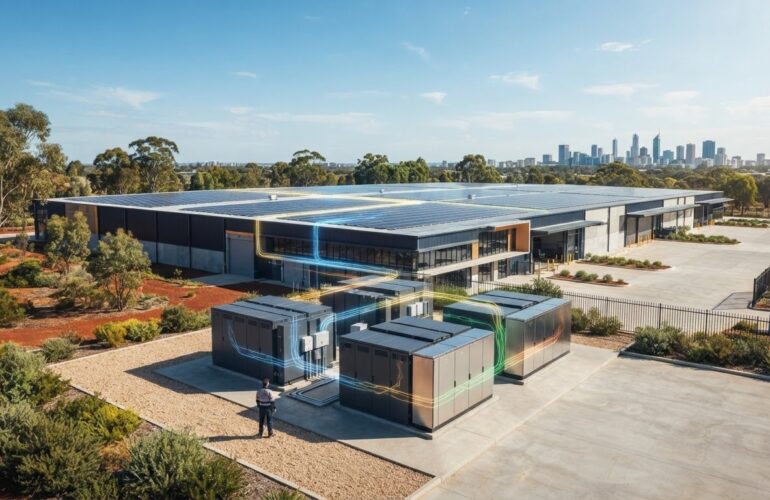


[…] can bring additional compatibility decisions, so clarify your plans before choosing a unit. Your solar inverter troubleshooting guide can also help you understand common faults and what to record before an assessment, such as error […]